HOW IT WORKS

FROM RACE PACKET TO FINISH LINE.

Set up the race once. On race day RPC keeps the crew, the runner and everyone following along on the same clock.

01

SET UP THE RACE.

The organizer creates the race: runner name, start time and time zone. Then tune it to how your crew actually works.

  • Crew ready lead time: how many minutes before the earliest ETA the crew should be set up.
  • Mark progress stale after: when an old check-in should stop being trusted.
  • Later-loop fatigue: how much slower the runner will be on loop 2.

You also get a private organizer link. Save it: it's how you get back into setup from any device.
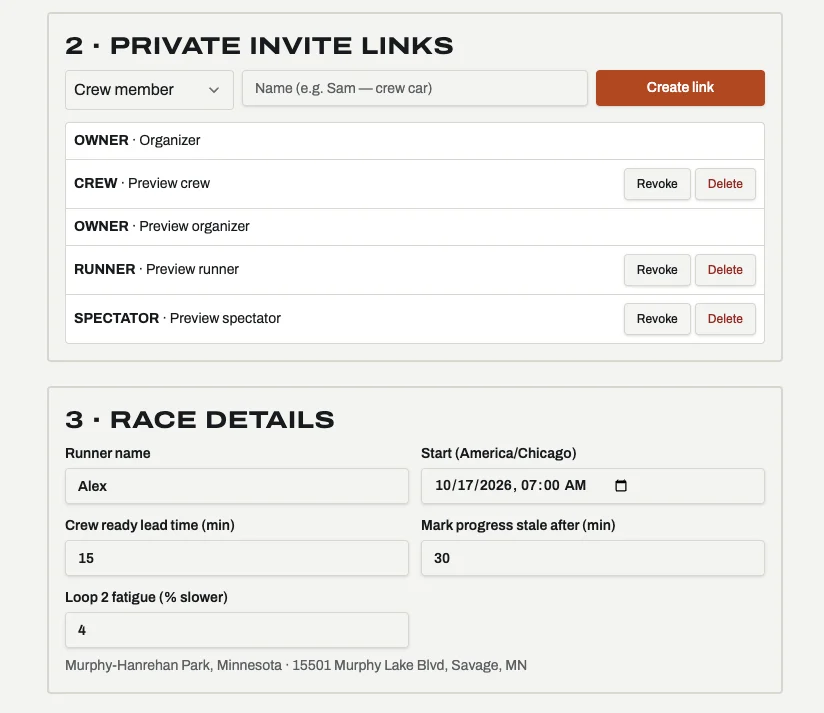
RPC setup: private invite links for owner, crew, runner and spectator with Revoke and Delete buttons, and race details: runner name, start time and time zone, crew ready lead time 15 minutes, mark progress stale after 30 minutes, loop 2 fatigue 4 percent slower.
SETUP · INVITE LINKS + RACE DETAILS
02

BUILD THE COURSE AND THE PLAN.

Three ways in, depending on what the race gives you. Then set your pacing scenarios and how long you'll stop at each checkpoint.

DEFAULT
IMPORT A GPX
Upload the course file from the race website. Distance and elevation come straight from the route.
NO GPX?
LET RPC DRAFT IT
RPC drafts the course, aid stations and crew stops from the race's published information. You review and confirm.
FALLBACK
BUILD IT BY HAND
Add checkpoints by mile, mark which ones allow crew, and note parking and access.
PACING SCENARIOS
AGGRESSIVE, TARGET OR CONSERVATIVE. SWITCH IN ONE TAP.

Set three paces and see the total time, moving pace and planned stop time for each. Overall pace includes your stops; moving pace is pace on the trail, with stops added on top. Make one active and every ETA and ready-by time follows it.
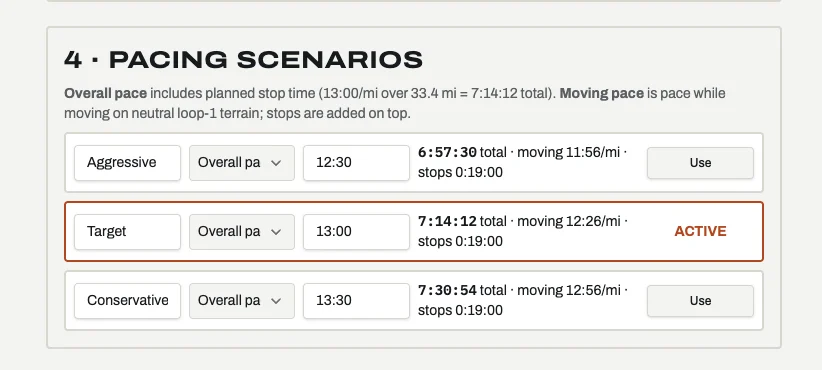
RPC pacing scenarios: Aggressive at 12:30 overall pace, 6:57:30 total; Target at 13:00, 7:14:12 total, active; Conservative at 13:30, 7:30:54 total. Each shows moving pace and 19 minutes of planned stops over 33.4 miles.
SETUP · PACING SCENARIOS
03

INVITE YOUR TEAM BY ROLE.

Create a private link for each person. They open it and land in the view built for their job. Lose a phone or swap a crew member? Revoke the link in one tap.

ROLEWHAT THEY SEE AND DO
CREW CHIEFFull setup: course, plan, invite links, revoking access. Everything the crew sees.
CREWNow, Map, Timeline, Requests, Supplies and Log. Can check the runner in at a stop.
RUNNERNext aid station, ETA window, pace and projected finish. Arrived, Depart and Request supplies.
SPECTATORRead-only progress and ETAs, so family and friends know when to show up.
04

RACE DAY: EVERYONE UPDATED.

When the runner taps Arrived or Depart, or a crew member checks them in, every forecast updates for everyone.
NOW
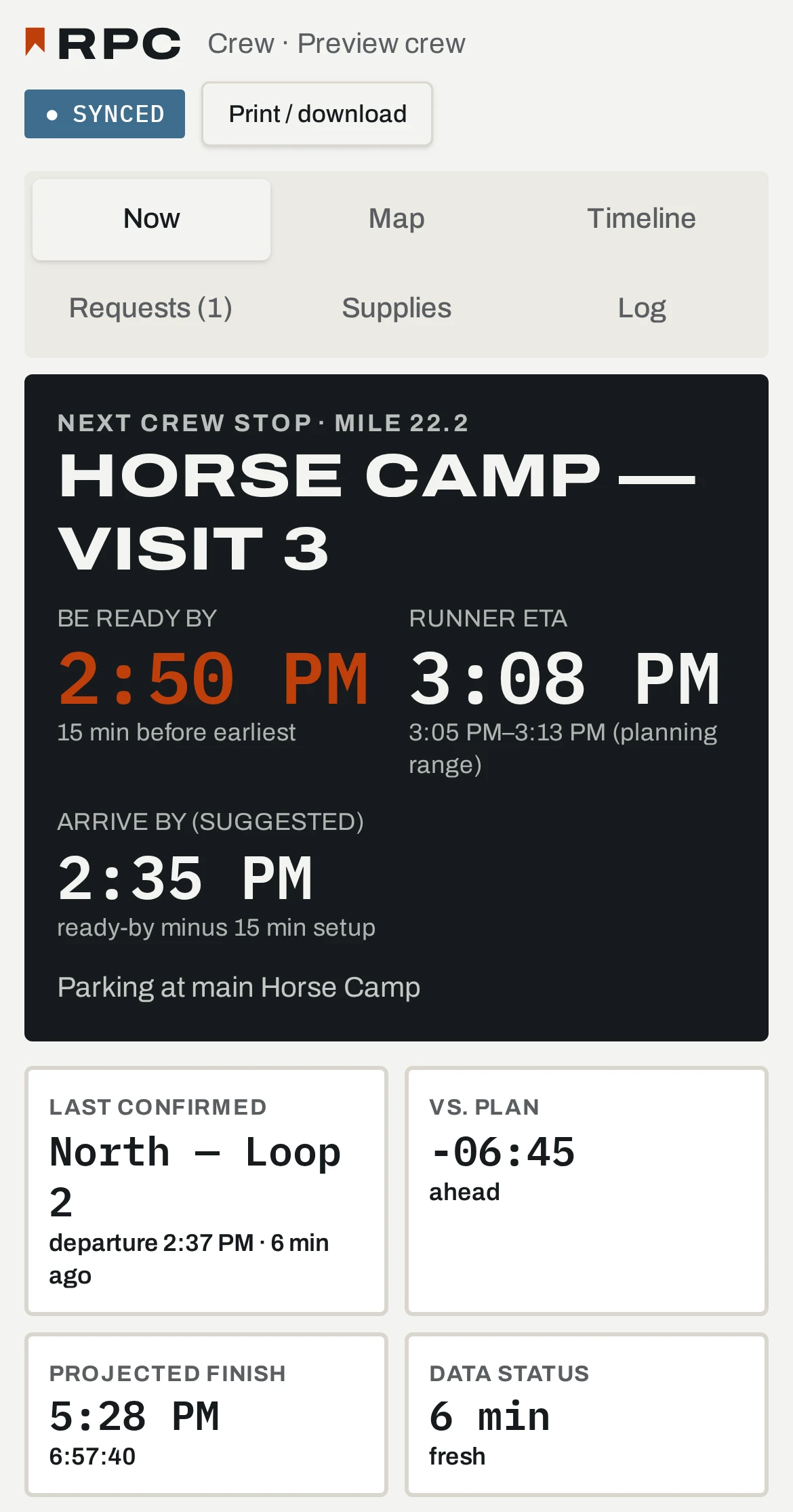
Next crew stop with arrive-by, be-ready-by and the runner's ETA window. Plus last confirmed checkpoint, ahead/behind plan, projected finish and how fresh the data is.
MAP
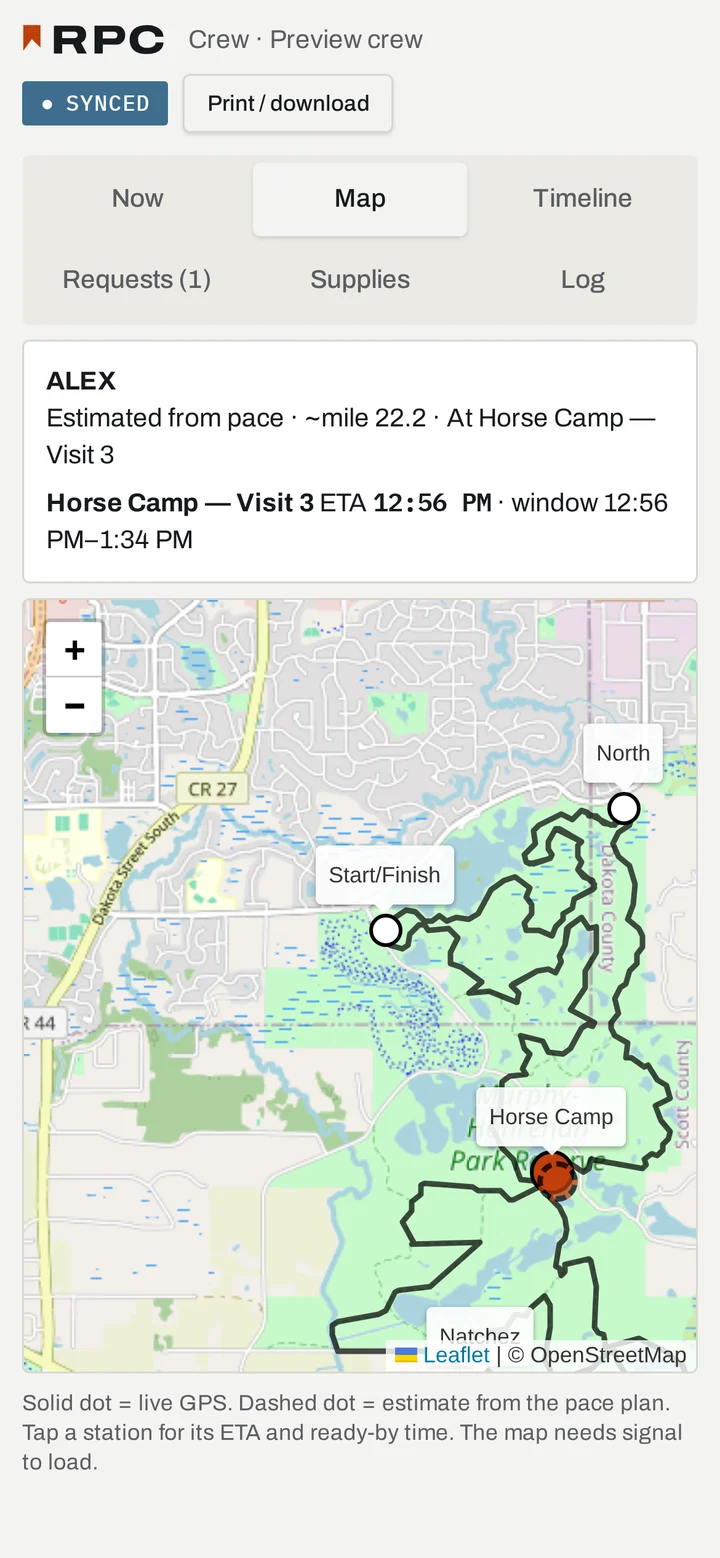
The course, the stations and your runner. A solid dot is live GPS; a dashed dot is an estimate from the pace plan. Tap a station for its ETA and ready-by time.
TIMELINE
Every checkpoint: plan vs. forecast vs. actual, with a clear status on each.
REQUESTS
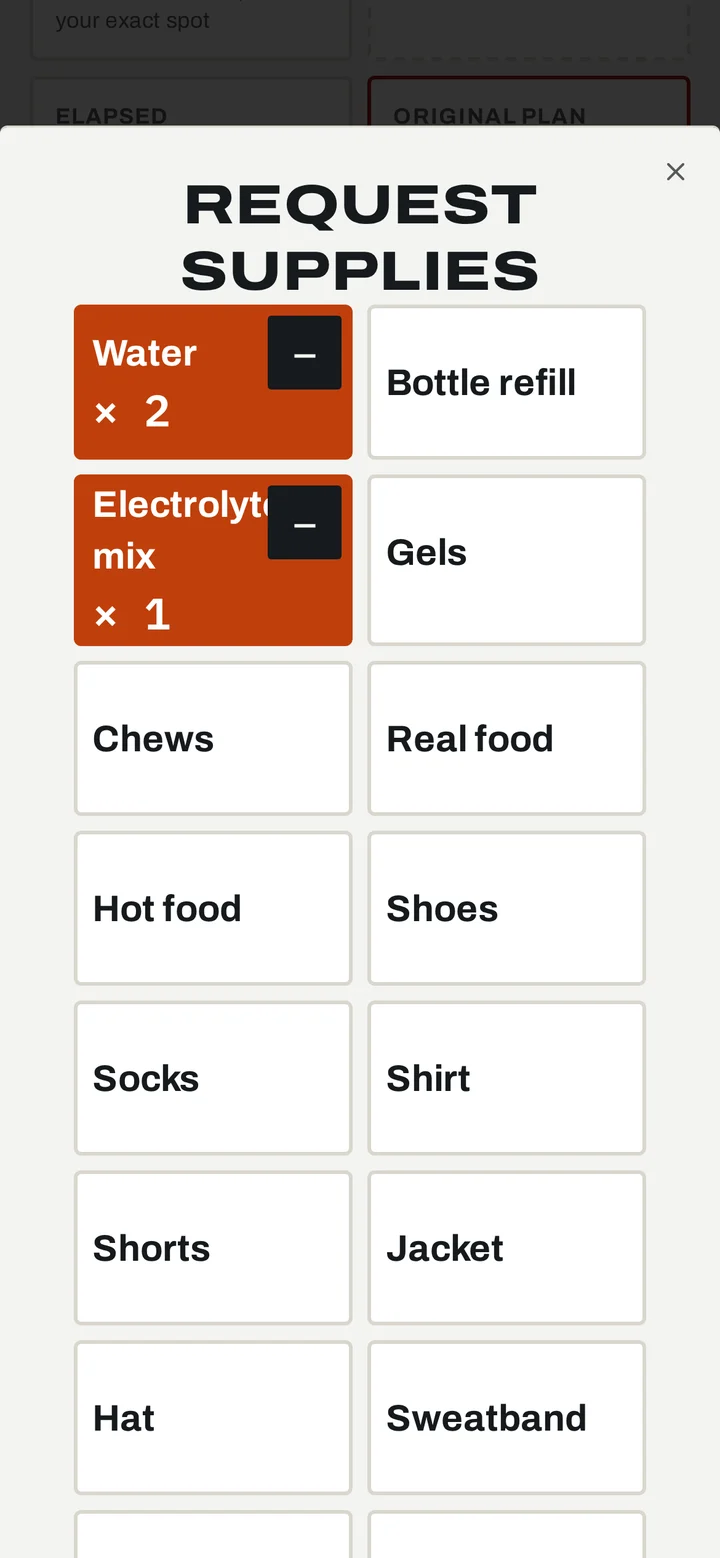
What the runner asked for and how many (water, gels, socks, a jacket), tied to the stop where they need it.
SUPPLIES
The gear and nutrition you packed, and where it's needed.
LOG
Every check-in and change, time-stamped, for during and after the race.
Crew Now screen: Horse Camp, Visit 3. Be ready by 2:50 PM, runner ETA 3:08 PM, arrive by 2:35 PM; last confirmed North, Loop 2; 6 minutes 45 seconds ahead of plan; projected finish 5:28 PM; data 6 minutes fresh.
CREW · NOW
Crew Map screen: course map with stations; the runner is estimated from pace at about mile 22.2 at Horse Camp, Visit 3.
CREW · MAP
Runner Request supplies screen: a grid of supply items with water times 2 and electrolyte mix times 1 selected.
RUNNER · REQUEST SUPPLIES
NO SIGNAL IN THE CANYON?
The map needs signal to load. Print or download the full plan before the start. Paper never needs a signal.

CREW LIKE YOU'VE DONE THIS BEFORE.

Set up your first race in minutes.

START FREE